
Use these answers when you cannot continue registration. Read the message on your current page first: it helps distinguish an incomplete step from a registration that has ended.
Company address and email
If the workspace address name is taken, choose a different name using lowercase letters, numbers and hyphens. This is the address your team and customers will use; check it before submitting.
If the confirmation email did not arrive, check the partly hidden owner address and unwanted-mail folder. Use Send the link again for another message. If the address is wrong, fill in New email address and select Change email. Reopen the complete email link if the confirmation page says it is incomplete.
Payment and finishing
A cancelled checkout does not finish payment. Use Go to payment when shown to return to the invoice. A Zelle report waits for confirmation, so reporting it does not immediately mean the invoice is paid.
The account-created page says when your workspace is being prepared and which email will receive the setup link. It does not let you change a plan you have already chosen. Contact the team if your selected subscription needs attention.
Sign-up is closed
Use a valid invitation sent for your owner email, or contact sales. The help articles remain available while general sign-up is closed; reading them does not create an account or reserve a workspace address.
On this screen
For email problems, 1 points to sending another link and 2 marks the field for correcting the owner’s address. Read the page message before choosing an action.
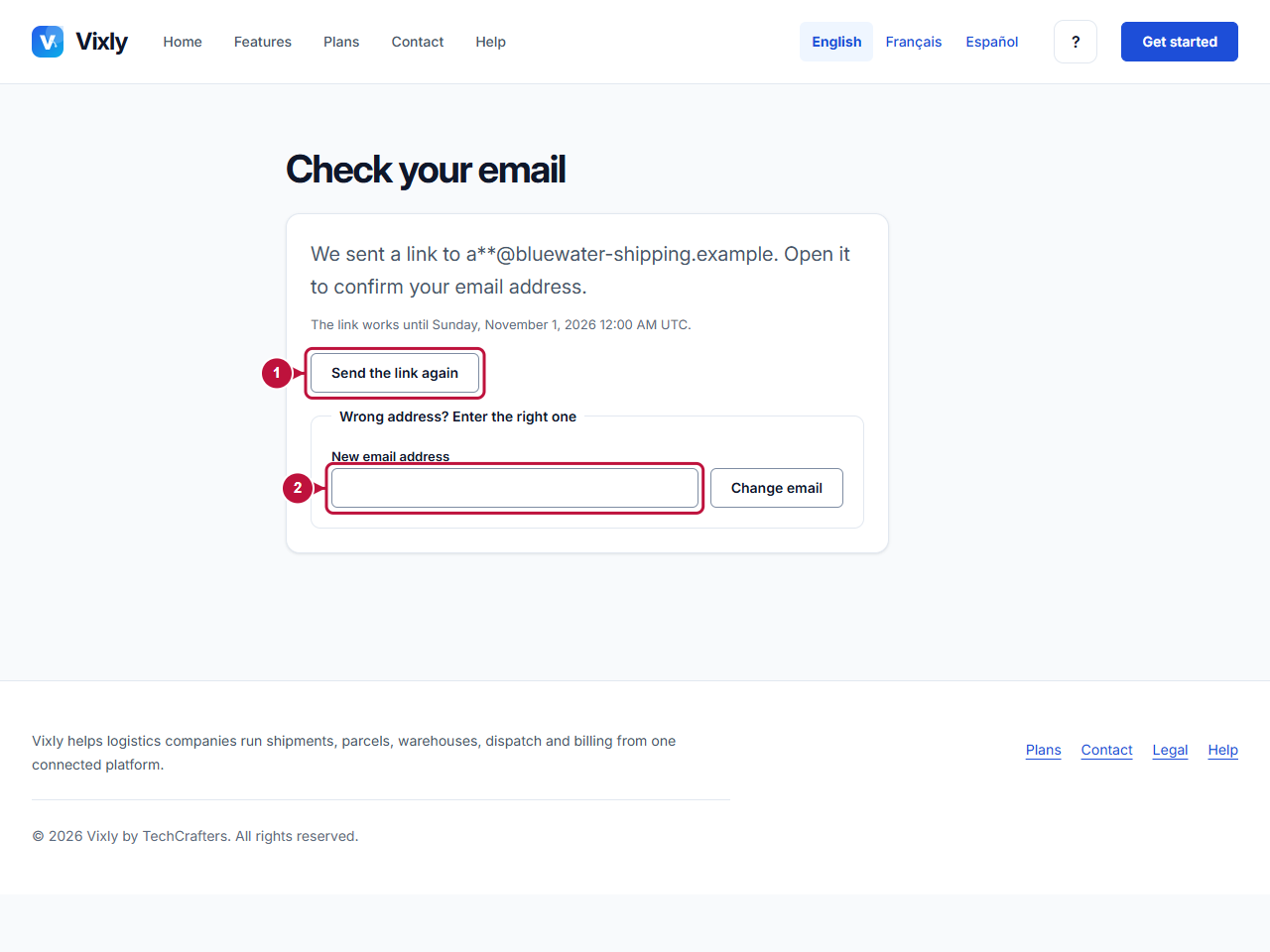
Illustrative screen with fictional demo data. Prices, dates and available choices may differ. Select the image to open it at full size.