
Use Contact to ask about Vixly for your logistics company. This form is for a conversation with the team about your operation, plans or getting started. It is not the missing-package ticket area used by a company’s customers.
Steps
- Enter Company, Your name and Work email. Use an email address where the team can reach you.
- Add Phone (optional) if you want to provide a phone number.
- Choose the closest description in Your operation: Courier company, Freight handling, Warehouse operation, Multi-branch logistics, Something else.
- Use What would you like to improve? (optional) to describe what you would like to improve or what help you need. This field is optional. Keep the request focused on your operation rather than sending card details or private sign-up links.
- Complete the human check if shown and select Send.
What happens next
After a successful submission, the page displays Thank you. Our team will contact you soon.. This confirms that your request was sent, not that an account has been created or a plan accepted. The team uses the details to answer your enquiry.
The page also shows a direct email address if you prefer to write instead. If the form shows an error, read it before submitting again. Include your company name and the stage you reached when asking about a sign-up in progress.
On this screen
1 marks your company name; 2 your reply email; 3 the optional message; 4 the send button. Use your own contact details when completing the form.
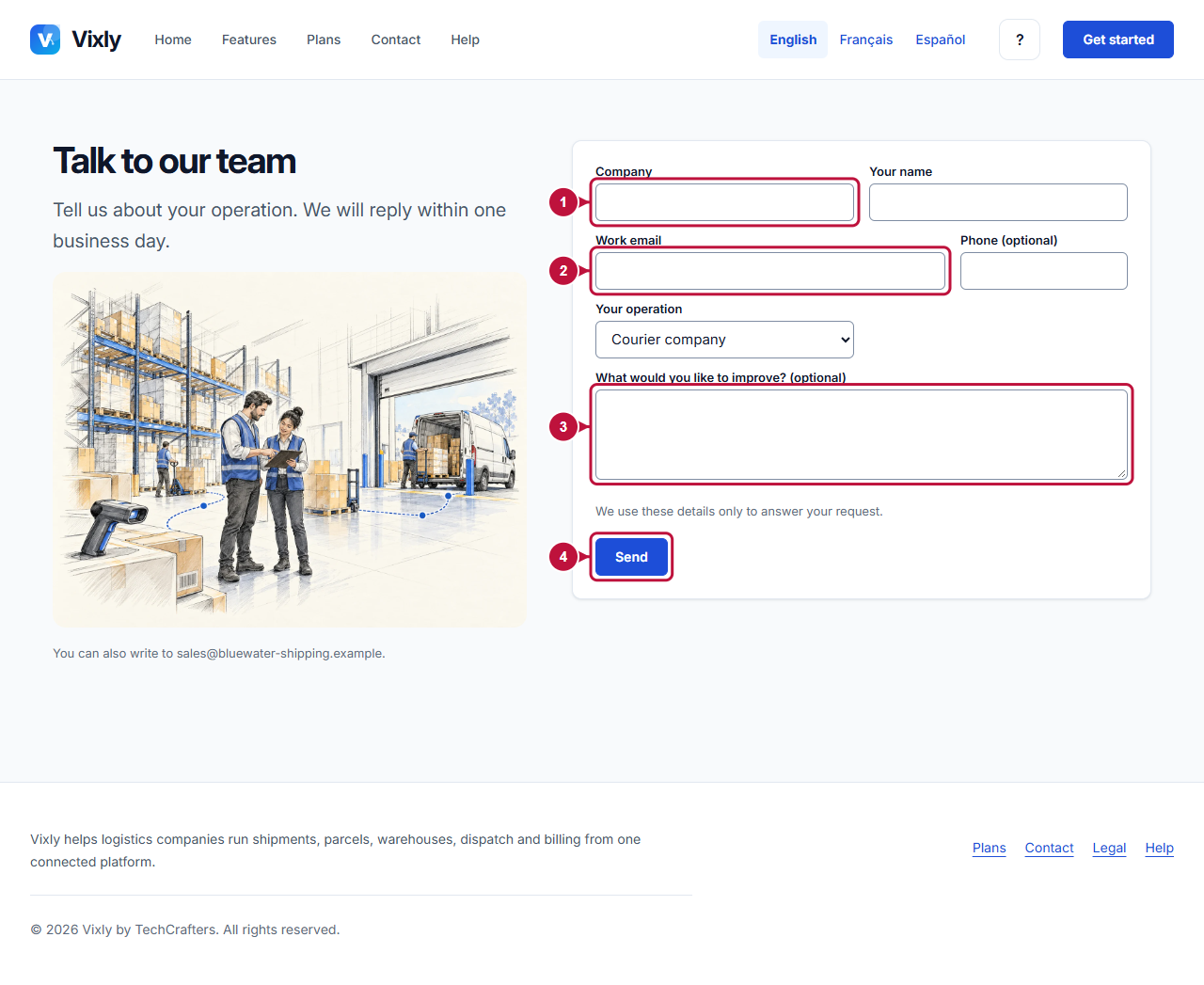
Illustrative screen with fictional demo data. Prices, dates and available choices may differ. Select the image to open it at full size.