
Sign-up creates your company’s Vixly account and starts the preparation of its workspace. Have your company’s billing details, the account owner’s contact details and an accessible email inbox ready. Keep any invitation or offer email available too.
Steps
- Enter your company, address and owner details. Choose the address name your team and customers will use, review the terms and submit Create account.
- Open the email Vixly sends you and select Confirm my email on the confirmation page. Opening the email link alone does not finish confirmation.
- Choose your plan, billing period and licences, or accept the offer shown. Review any trial or promotion before continuing.
- Pay the first invoice if payment is required. A trial or a first period with nothing due can move directly to account setup.
- Follow the account-created page and the email with the link for setting up your team’s sign-in.
Before returning later
The next page depends on your saved progress. Keep the verification email and use the link while it remains valid; the email step displays its deadline. Do not assume that restarting on another browser will retain every earlier choice. General sign-up may be closed, in which case contact sales or use the valid invitation sent to you. Completion time depends on email confirmation, payment and workspace preparation.
On this screen
1 marks company details; 2 the billing address; 3 the owner; 4 the workspace address name; 5 acceptance of the terms; 6 submission.
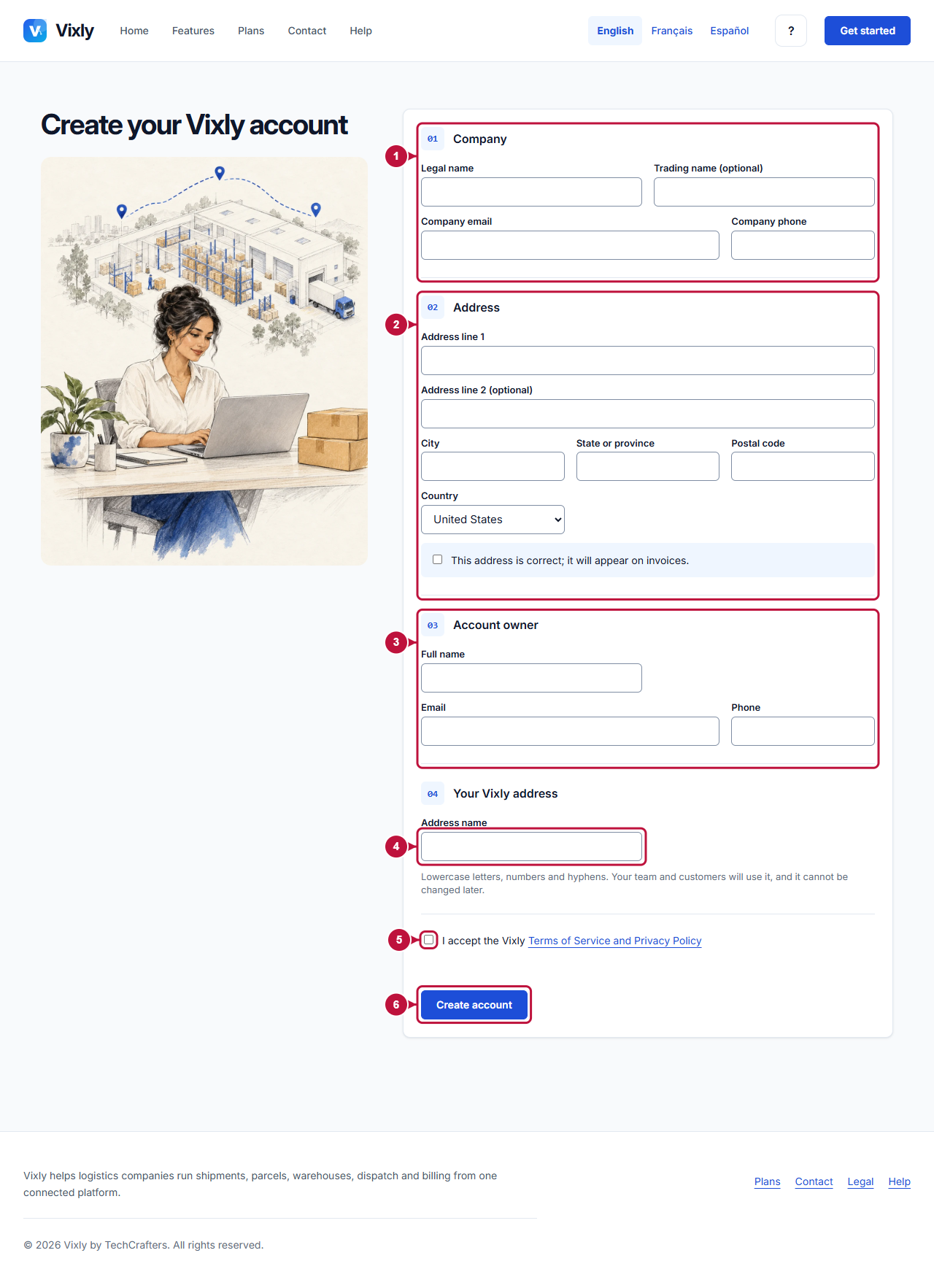
Illustrative screen with fictional demo data. Prices, dates and available choices may differ. Select the image to open it at full size.