
Choose your subscription after confirming the owner’s email. If you selected a plan on the public catalogue, it may already be selected here; check the selection rather than assuming it is final.
Steps
- Under Plan, select the plan you want. Read its displayed price and any trial information.
- In Billing, choose Monthly or Annual. Enter your device licence count in Licences, keeping the plan’s minimum and limit in mind.
- If you have a promotion, enter it in Promotion code (optional). A promotion must be available for your plan and registration; a visible input does not guarantee that every code is accepted.
- Review Start with the free trial (when the plan has one). Leave it selected only if you want the free trial and the plan offers one. Review the before-tax note and select Continue.
What happens next
A trial or a first period with nothing due can go directly to account setup. Otherwise, the next step asks you to pay your first invoice. With an invitation, this page can show an agreed offer instead of the plan-selection form. Review its plan, licences, billing and any charges, then use Accept this offer only if you agree. The offer’s terms are used as shown.
On this screen
1 marks the plan options; 2 billing frequency; 3 licence count; 4 the optional promotion field; 5 the button to continue.
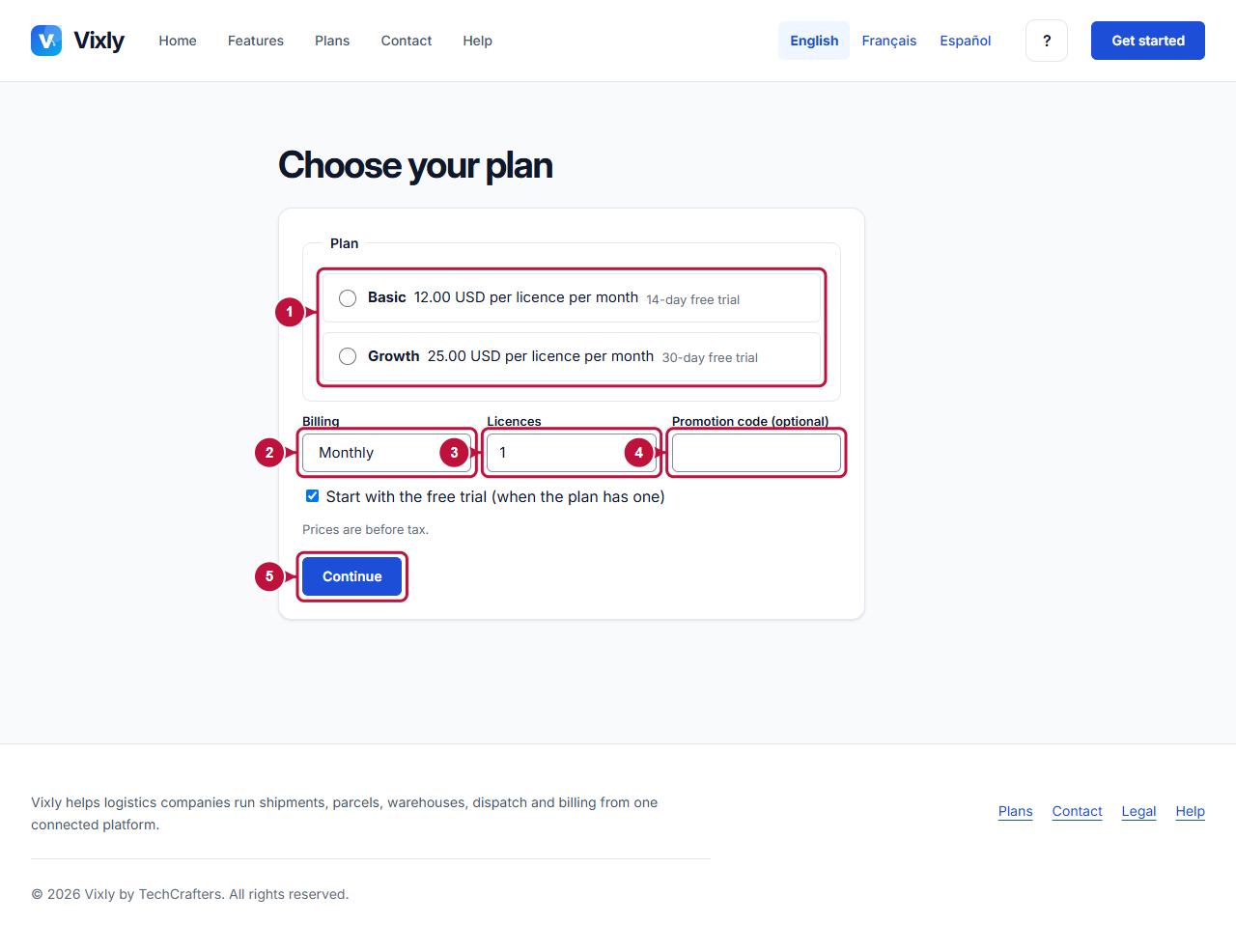
Illustrative screen with fictional demo data. Prices, dates and available choices may differ. Select the image to open it at full size.