
Use Plans to compare the plans currently offered by Vixly. The page shows the price and currency of each plan; do not assume that two prices cover the same billing period.
Steps
- Compare the monthly price per licence with the annual price per licence. Annual prices cover a year, rather than one month.
- Read the minimum licence count, maximum licensed devices and warehouse limit. Include the devices your staff will need when comparing the total cost.
- Check the listed features, any one-time setup charge and any trial offered. The page states Prices are before tax.; applicable taxes are considered when billing is prepared.
- When general sign-up is open, select Choose this plan. The chosen plan is carried into sign-up so you can review it at the plan step. If the button instead offers a sales conversation, contact the team to discuss your company.
What happens next
Choosing a plan from the catalogue does not by itself charge a card or complete registration. You still enter company details, confirm the owner’s email and review your plan, billing period and licences. An invitation may contain agreed terms that differ from the public catalogue. Read the offer shown during sign-up before accepting it.
On this screen
1 marks the plan’s licence, device and warehouse details; 2 points to the button for choosing that plan.
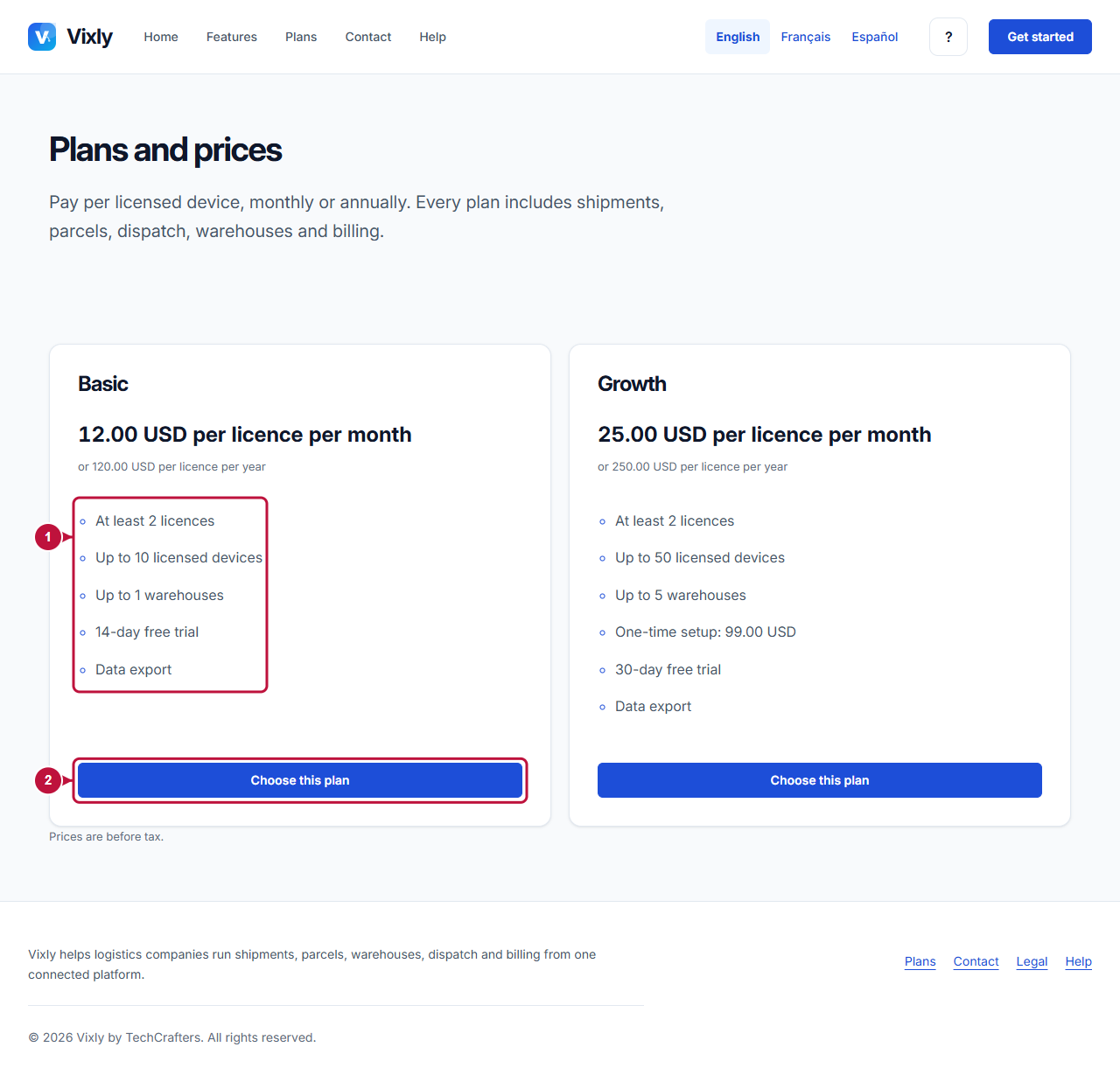
Illustrative screen with fictional demo data. Prices, dates and available choices may differ. Select the image to open it at full size.