
The Legal page presents the Vixly documents that apply to accounts today. Use it to read the current terms and the policies included with them before accepting the sign-up form.
Steps
- Open Legal from the public site’s footer. Read the version shown for the terms and any effective date or summary provided.
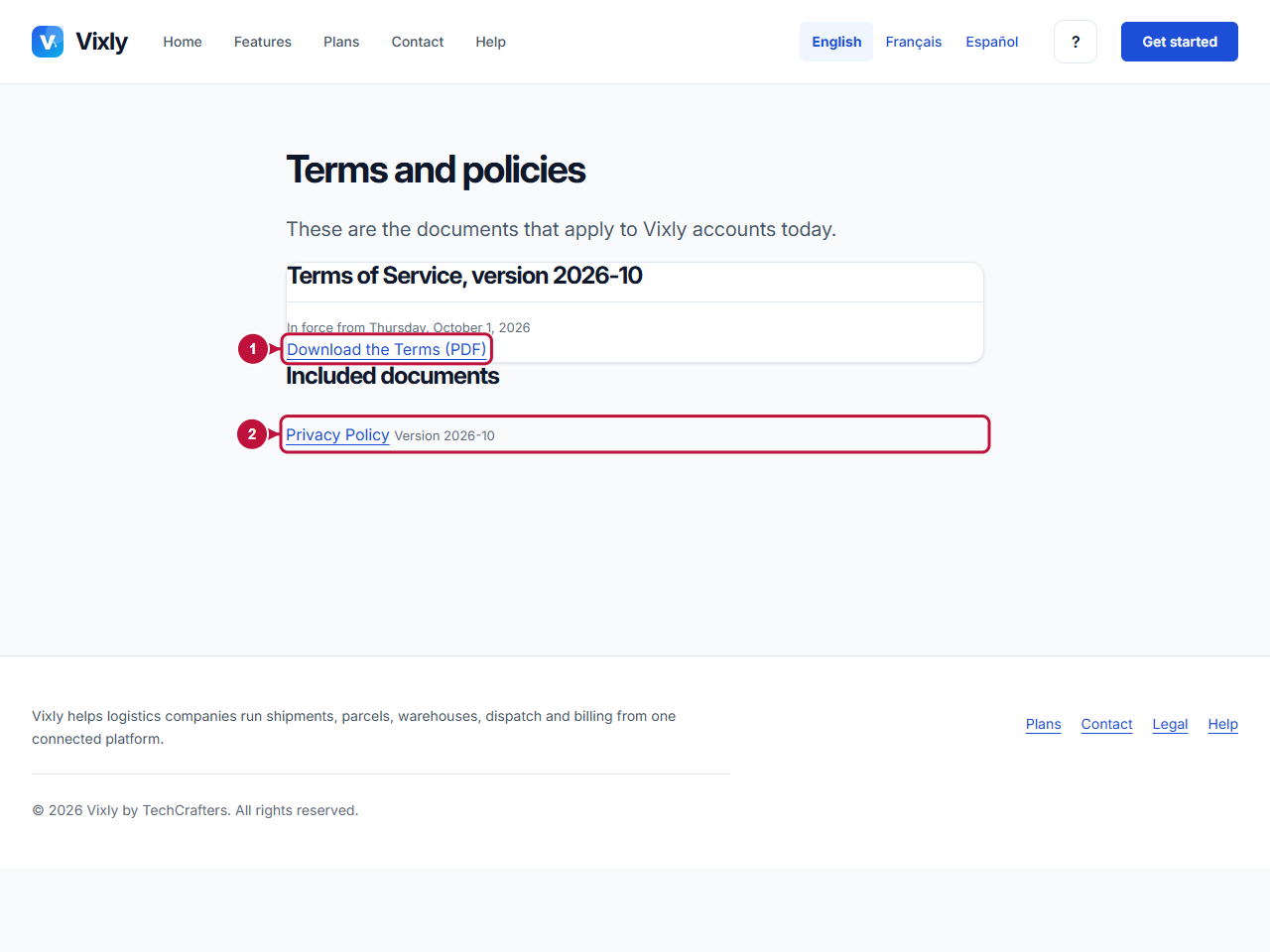
- Select Download the Terms (PDF) to download the terms document. Keep the document if you need a record for your company.
- Under Included documents, open the documents that are listed. These can include privacy, data processing, acceptable use and service-level documents. The page identifies each included version.
- Return to the company sign-up form when you have reviewed the applicable documents. Read Terms of Service and Privacy Policy and select the acceptance checkbox only if you agree.
What happens next
Registration records acceptance of the current terms and privacy versions presented for sign-up. Downloading a document or browsing the legal page does not by itself submit that acceptance.
This help article explains where to find the documents; it does not replace their wording. Use the published PDFs for the actual conditions. If the page cannot load a document, or you need clarification before accepting, contact the team. Procedures for an existing account being asked to accept updated terms belong to that account’s workspace, rather than the public registration form.
On this screen
1 points to downloading the current terms; 2 marks the included policies and their download links. Review the version beside each document.
Illustrative screen with fictional demo data. Prices, dates and available choices may differ. Select the image to open it at full size.